

Onboarding is usually the first thing users see in your app and it’s surprisingly hard to get it right in React Native. Most developers either hack together a FlatList, wrestle with animations, or skip onboarding entirely. The result? A clunky first impression.
Creating a smooth, beautiful, and customizable flow that works consistently on iOS, Android, and web often takes much more effort than it should. That’s why I built react-native-onboarding library for user-friendly onboarding/tutorial flows with smooth animations, theming and complete flexibility.
Key features
- Cross-platform: works on iOS, Android, and web
- Smooth animations: powered by
react-native-reanimated - Works out of the box: get started with default styles instantly
- Customizable: replace any panel, step, or button with your own components
- Flexible theming: control colors, fonts, layouts to match your app design
Installation
Install the package and required dependencies to get started:
npm install @blazejkustra/react-native-onboarding
npm install react-native-reanimated react-native-safe-area-context
Usage
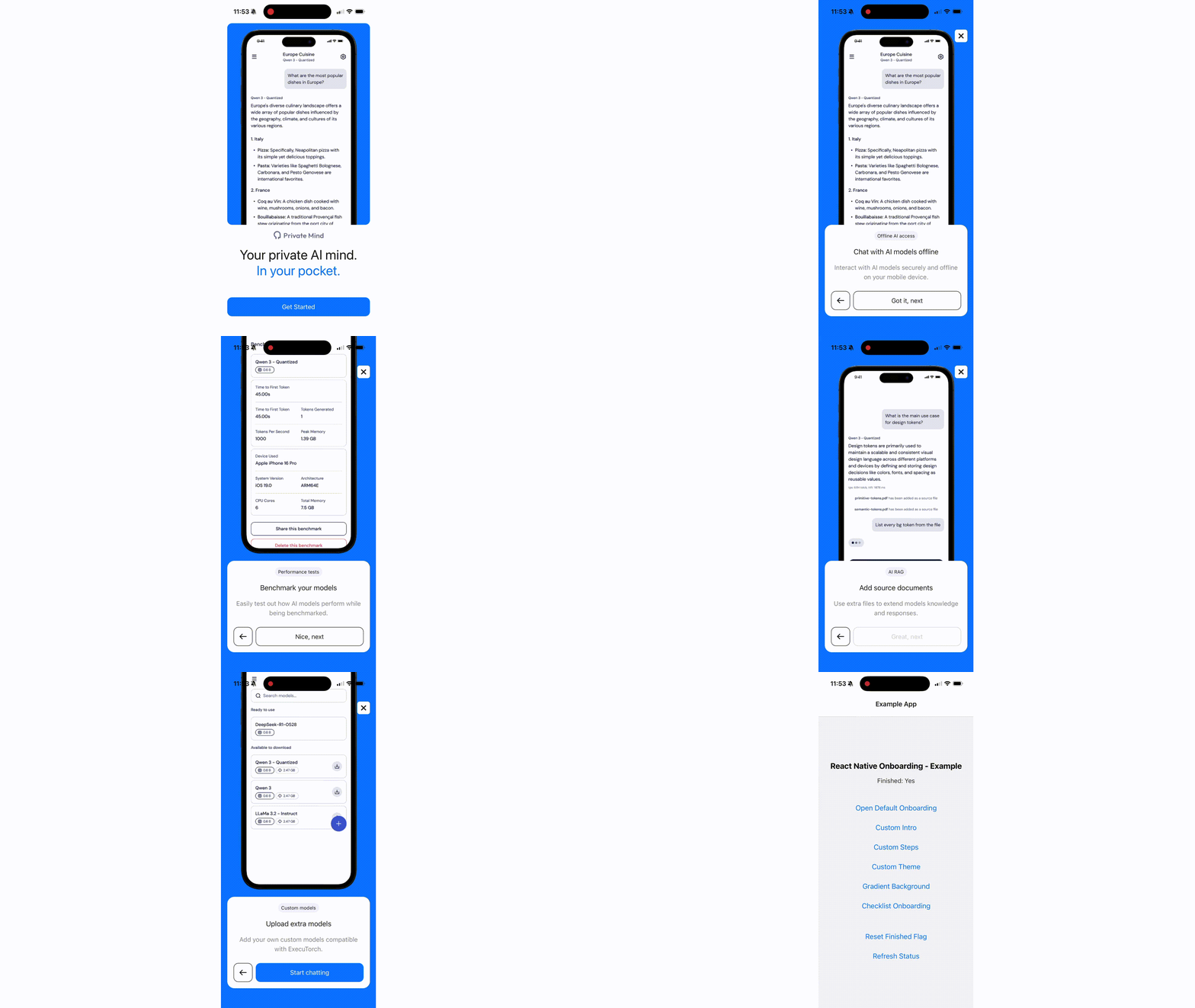
You can start with the default UI by providing an intro panel and a list of steps:
import Onboarding from '@blazejkustra/react-native-onboarding';

function MyOnboarding() {
  return (
    <Onboarding
      introPanel={{
        title: 'Welcome to My App',
        subtitle: 'Let\'s get you started',
        button: 'Get Started',
        image: require('./assets/logo.png'),
      }}
      steps={[
        {
          title: 'Step 1',
          description: 'This is the first step of your journey',
          buttonLabel: 'Next',
          image: require('./assets/step1.png'),
          position: 'top',
        },
        {
          title: 'Step 2',
          description: 'Learn about our amazing features',
          buttonLabel: 'Continue',
          image: require('./assets/step2.png'),
          position: 'bottom',
        },
      ]}
      onComplete={() => console.log('Onboarding completed!')}
      onSkip={() => console.log('Onboarding skipped')}
      onStepChange={(step) => console.log('Current step:', step)}
    />
  );
}
Custom components
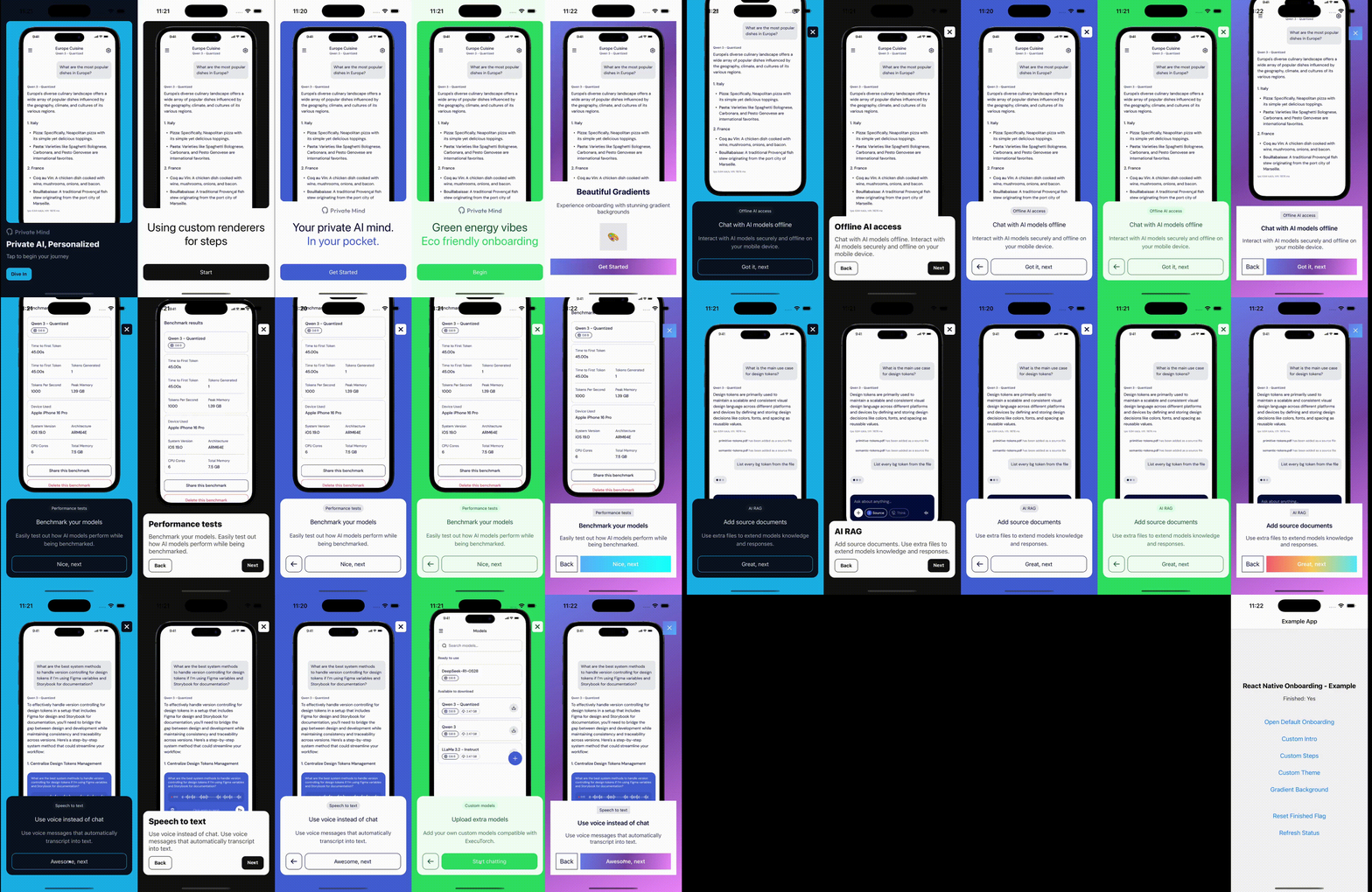
Want to bring your own design system? You can swap out the intro panel, steps, background, or even the close button:
<Onboarding
  introPanel={CustomIntro}
  background={CustomBackground}
  skipButton={CustomCloseButton}
  steps={[
    {
      component: CustomStep,
      image: require('./assets/step1.png'),
    },
    ...
  ]}
/>
This way, you get all the animations and flow logic, but full freedom over visuals.
Try it out
If you want to deliver a decent onboarding experience in React Native without fighting with layouts and different platforms, hopefully this library will save you a lot of time, so be sure to give it a try in your next project: https://github.com/software-mansion-labs/react-native-onboarding!
If you find it useful, consider giving the project a ⭐ on GitHub, we would really appreciate it!
We’re Software Mansion: multimedia experts, AI explorers, React Native core contributors, community builders, and software development consultants.